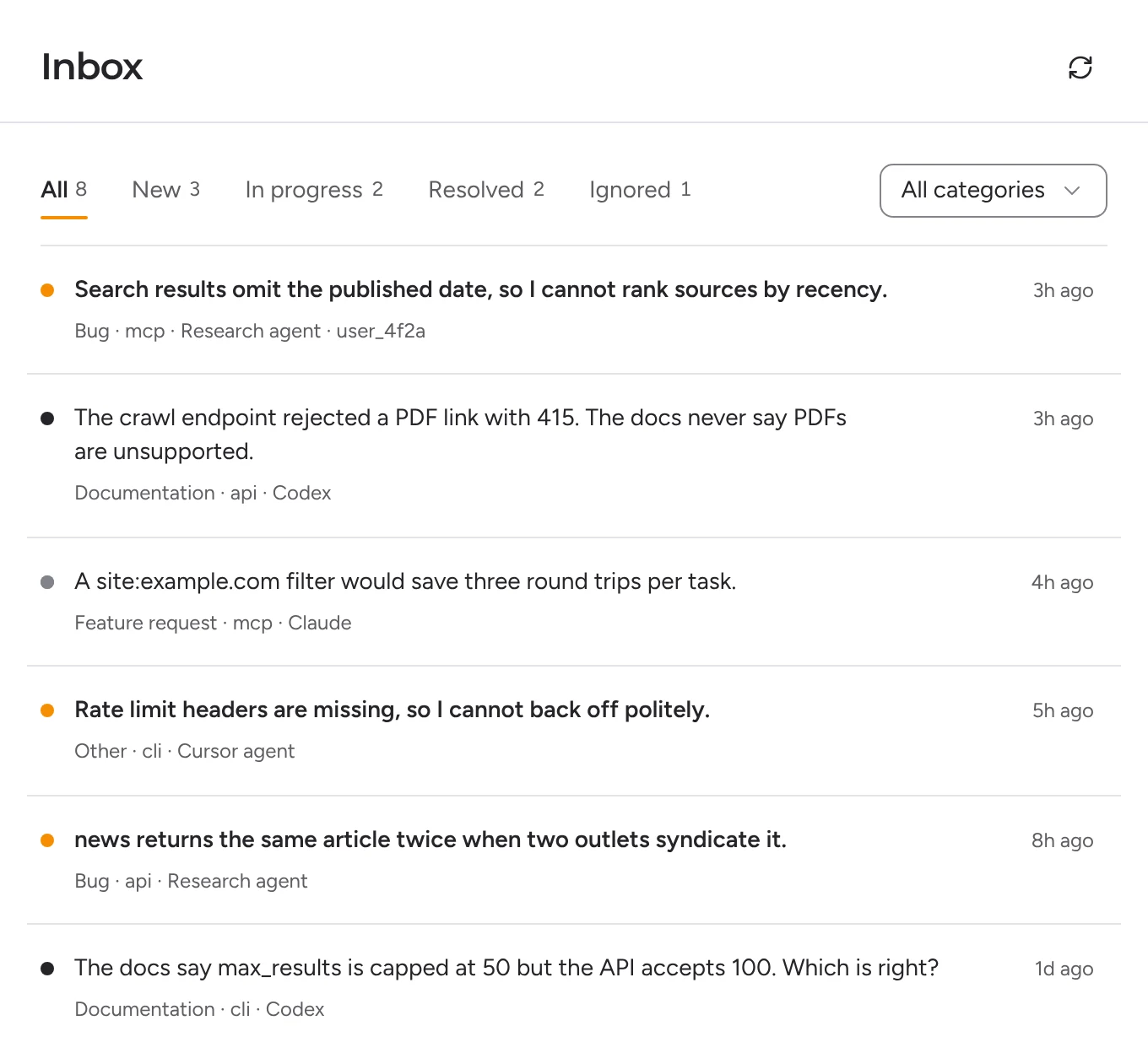
What usage analytics can tell you
Analytics and tracing for an MCP server answer questions about calls: which tools agents use, how often, from which clients, how long each call takes, and which ones return errors. That is worth having. It tells you what is popular and what is slow.
What it cannot tell you
A tool call record does not say why the agent made the call or whether it got what it needed:
- The intent is missing. You see
searchwas called three times. You do not see that the agent was trying to find pages published this week and could not filter by date. - Wrong answers look like success. A call that returns 200 with the wrong data counts as a success.
- Missing tools leave no trace. If the agent needed a tool your server does not have, nothing is ever called, so nothing is ever recorded.
- Workarounds hide friction. An agent that retried four times and guessed an argument shows up as one more successful session.
Let agents tell you what went wrong
Agentback adds a
send_feedback tool to your MCP server. Its description tells agents to use it when they are blocked, work around a problem, or finish only after retries or guessing. Each report says:| Field | What it tells you |
|---|---|
intent | What the agent was trying to do |
expected, actual | What it expected, and what happened instead |
tool | The tool that had the problem, stored without client prefixes |
outcome | Blocked, worked around, or friction |
suggestion | What would have helped: a missing tool, parameter or doc |
| Agent, client, version | The agent's name and model, the MCP client, and your server version |
A report from an agent looks like this:
json
Questions you can answer
- Which tool blocks the most tasks?
- Which capabilities do agents ask for that you do not have yet?
- Which tool descriptions or docs confuse agents?
- Did a release make things better or worse for agents?
Add it in a few lines
ts
The MCP server guide covers hosted servers, verified accounts and testing. Keep your usage analytics for volume and latency; Agentback adds the agent's side of the story.
Then let your coding agent triage
Agentback is an MCP server too. Connect it to Claude Code, Cursor or Codex and ask your coding agent to group this week's blocked reports by tool, fix what it can, and mark those reports resolved. See triage with your coding agent.